
Write the song. Talk your way through the mix.
Audizer is a recording studio for the Mac with an engineer built in. Record, edit and mix the way you would in any DAW. When you get to the part you don't love, say what you want and watch it happen on the timeline.
macOS 12 or later. VST3 and Audio Unit plugins welcome.
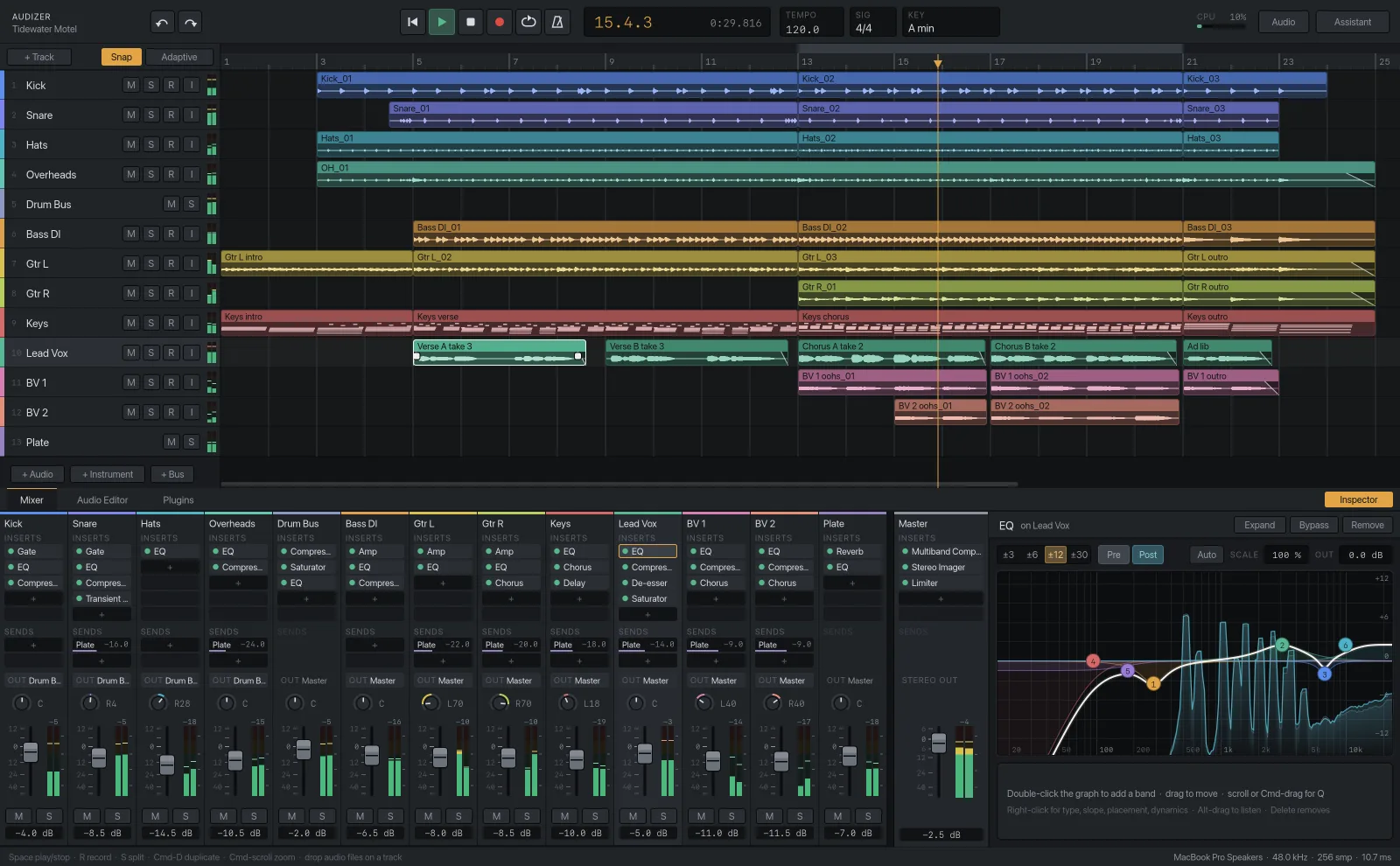
Say it the way you'd say it across the desk.
You don't have to write it up. Type what you'd say to an engineer, in whatever shorthand you use, and Audizer works out the track, the tool and the setting. Each move shows up in the session as a normal edit, and one undo takes it back.
100 on the drums→A high-pass at 100 Hz on the drum tracks that need one, using the EQs already there. It leaves the kick's low end alone and tells you so.
tighten this up→Finds every hit in the selected take and pulls it toward the grid, most of the way, so the feel survives.
clean up the low end→High-passes the tracks that don't need lows and cuts the 200 to 400 Hz build-up where it measures worst. Kick and bass keep theirs.
she's flat in the chorus→Reads the notes in the chorus and moves the flat ones. The rest of the take isn't touched.
vocal jumps around→Rides the level phrase by phrase, the way you would with a fader, before any compressor sees it.
more punch on the snare→A transient shaper on the snare with the attack turned up, or a slower compressor attack if one's already there.
rough mix→Gain stages every track, sets a balance and pans, filters, basic EQ and compression, and a reverb on a bus.
master it for spotify→Brings the mix to −14 LUFS under a −1 dBTP ceiling and reads you the result.
Plug in and get the take down.
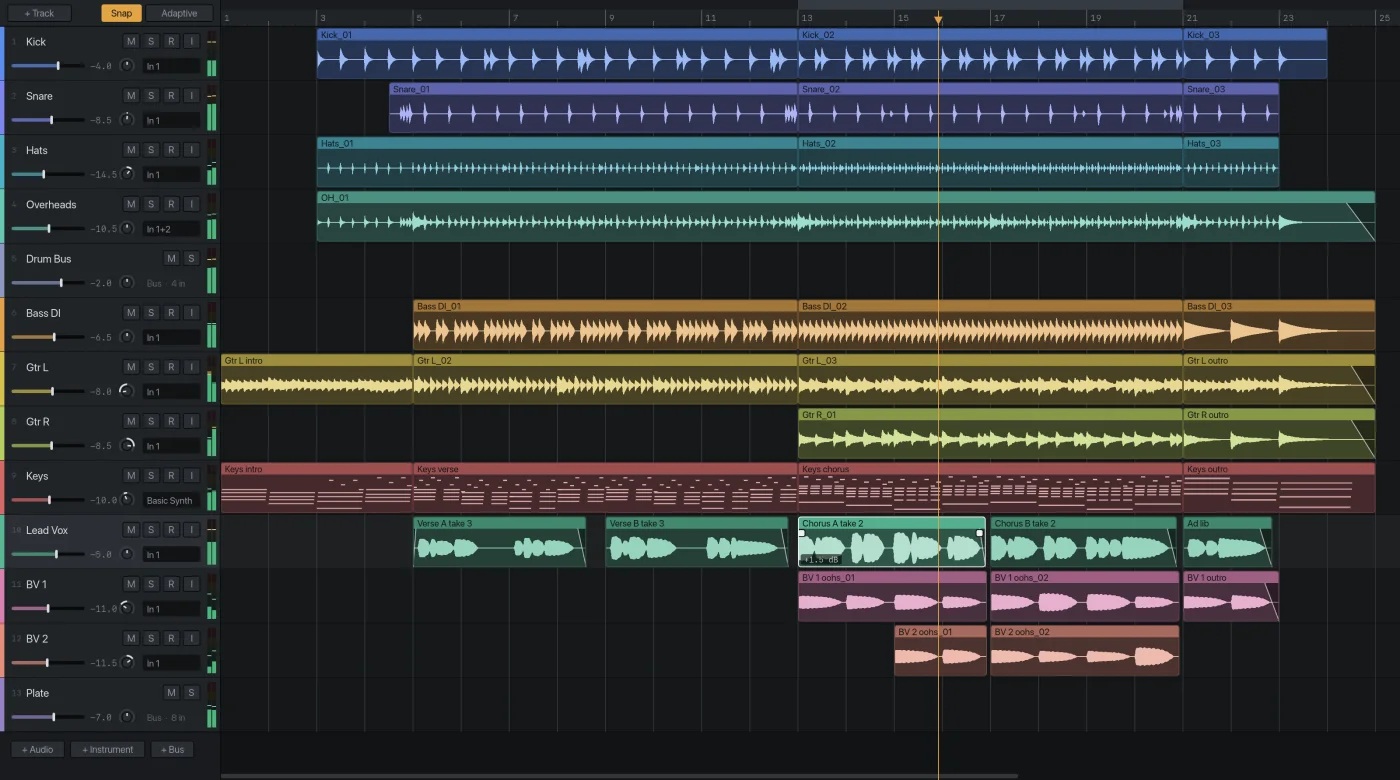
Pick your interface, arm a track and hit R. Audizer records through Core Audio and lines each take up against what you were hearing, so overdubs land where you played them.
- Any Core Audio interface, at the sample rate and buffer you choose
- Audio, instrument and bus tracks with sends
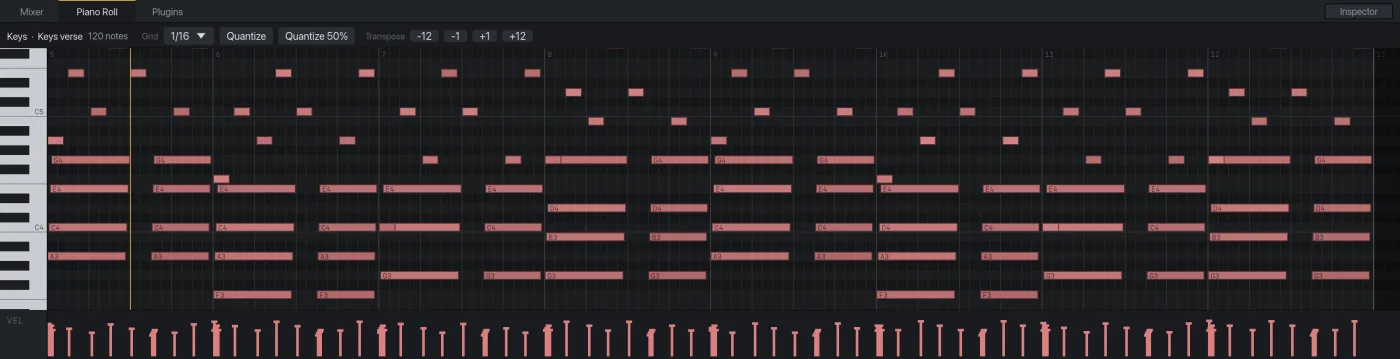
- MIDI keyboard in, a piano roll, and a synth ready on every instrument track
- Drop files on a track to bring in stems and loops
The chopping, without the chopping.
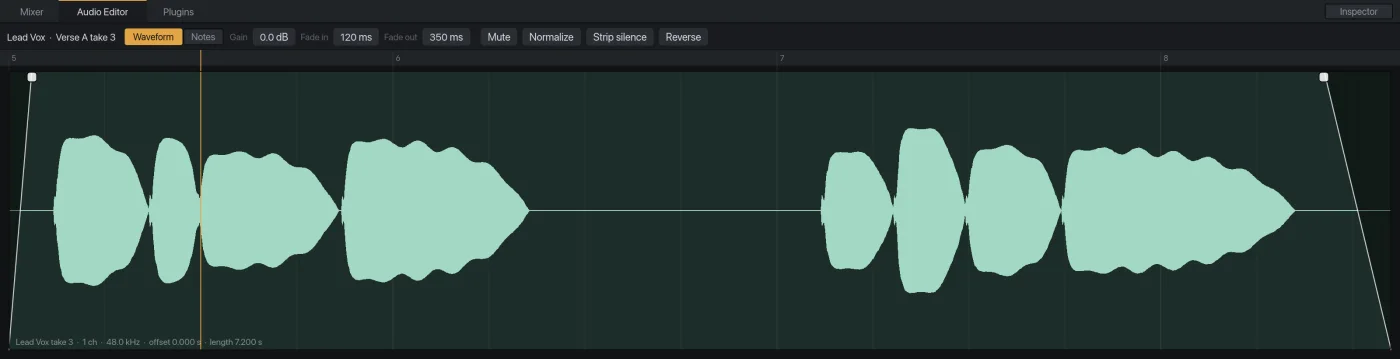
Everything you'd expect on a timeline, and the two jobs that usually eat an evening done for you: cutting the dead air out of a take and getting a loose performance onto the grid.
- Split, move, trim, duplicate, fade and set clip gain
- Strip silence leaves each phrase as its own clip with short fades
- Audio quantize slices at the hits and moves them as far as you say
- Undo for everything, whoever did it
Every sung note, laid out to fix.
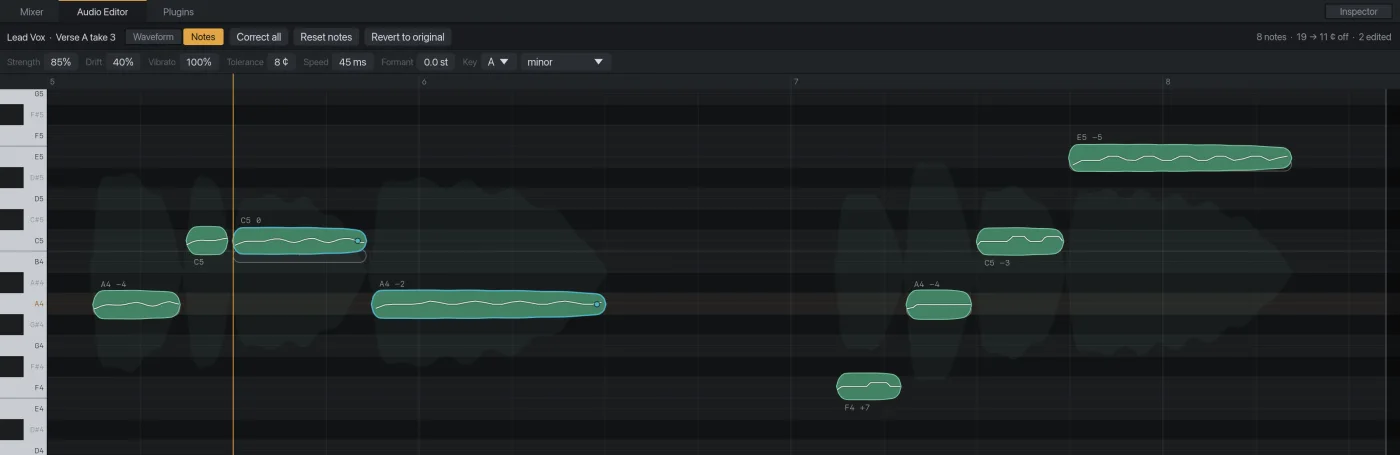
Audizer finds each note in a vocal and puts it on a piano grid. Drag one to another pitch, pull its edges to change when it starts and how long it lasts, or let the whole take settle toward the key while the vibrato stays the singer's.
- Per-note pitch, timing and length
- Drift and vibrato handled separately from the note's centre
- Formant control, so a moved note keeps the same voice
- Phrase levelling and noise reduction before the compressor
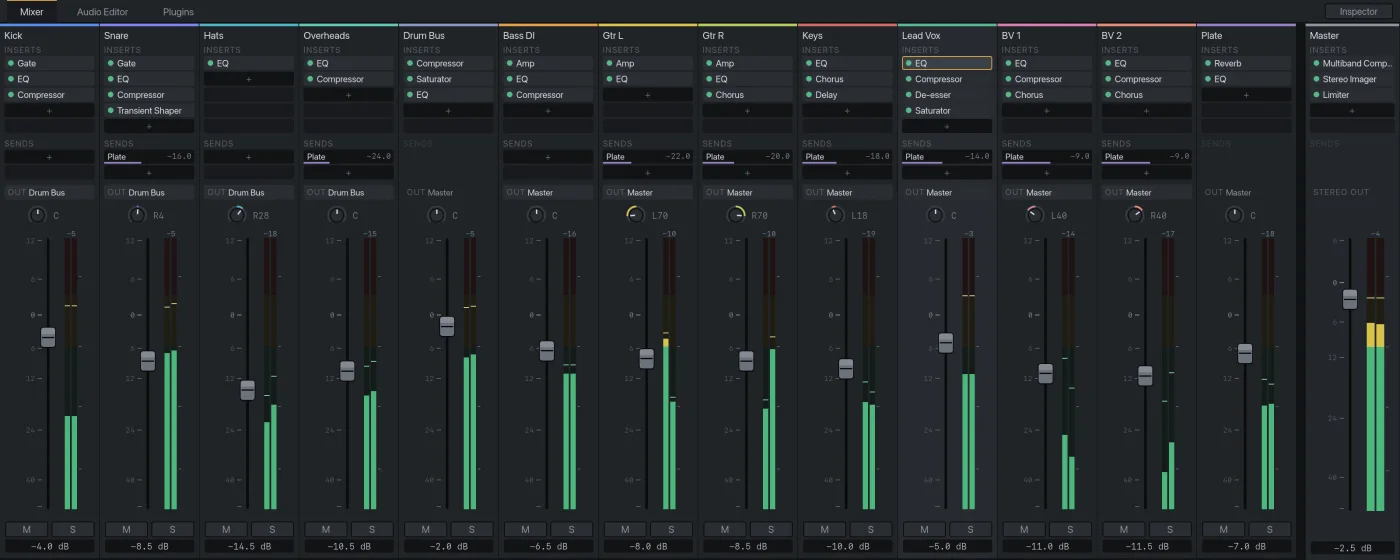
A full desk and fourteen devices.
A channel for every track with inserts, sends, pan and meters, buses for drums and reverbs, and a set of built-in processors good enough to finish a record on. Your own plugins sit in the same slots.
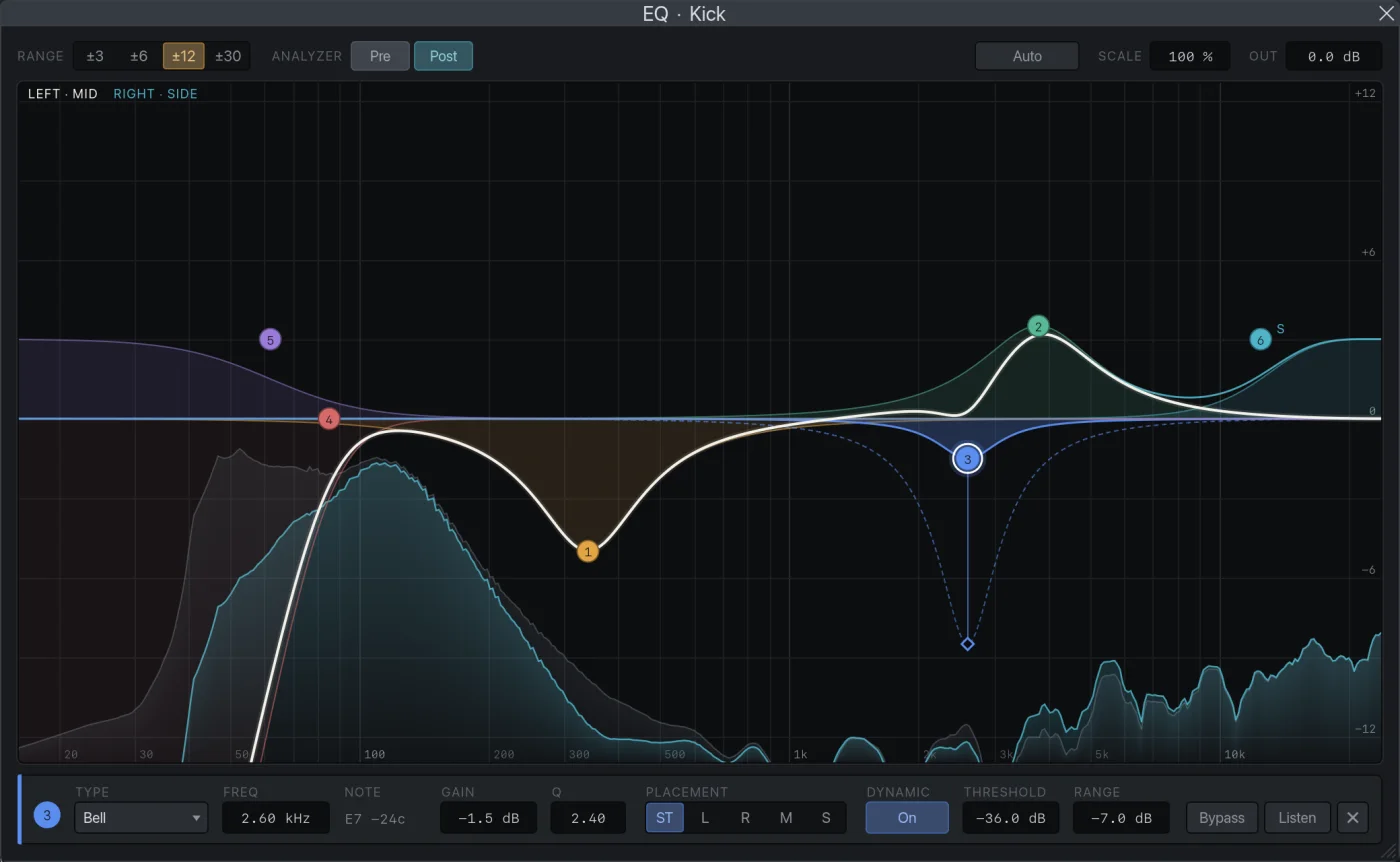
- EQ with up to 24 bands, dynamic and mid/side, over a live spectrum
- Compressor, multiband, gate, de-esser, transient shaper
- Saturator, amp and cabinet, chorus, delay, reverb
- Gain staging in one move before you touch a fader
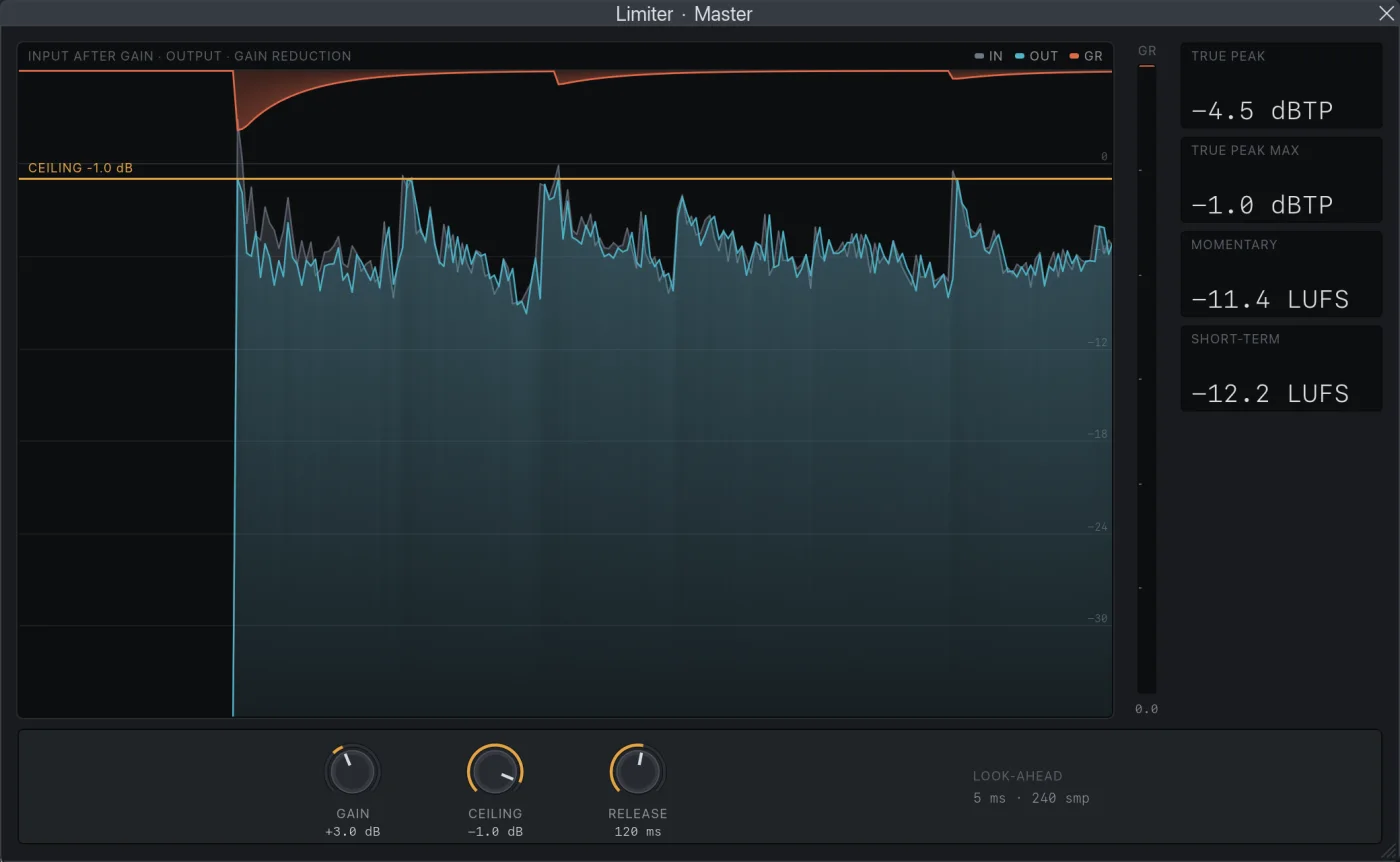
Name the loudness. Get the file.
Say where the song is going and Audizer sets the master limiter so the whole mix lands on that number under a true-peak ceiling. Then it exports the WAV.
- Integrated LUFS, true peak, loudness range and crest factor on the master
- Multiband compressor, stereo imager and look-ahead limiter for the master chain
- WAV export
Fourteen devices that show you what they're doing.
Each one draws the thing you need to see, such as the curve, the gain reduction or the stereo field, and every control is in real units: hertz, decibels, milliseconds.
Bring the plugins you already own.
Audizer hosts VST3 and Audio Unit effects and instruments. They load in the same insert slots as the built-in devices and open in their own windows, looking the way their makers drew them.
- VST3 and Audio Units, effects and instruments
- Piano roll with grid, quantize, transpose and a velocity lane
- The assistant can turn their knobs too, by parameter name
The craft, with settings you can type in.
Short guides to the jobs between a good take and a finished song. They work in any DAW.
Vocals
Tuning, levelling and de-essing a sung part.
Mixing
Balance, EQ, compression and the low end.
Mastering
Loudness, limiting and what to send out.
Get Audizer.
Free for Apple Silicon Macs. Version 0.3.0 is an early release, and the download page says plainly what it doesn't do yet.