
Audizer vs FL Studio
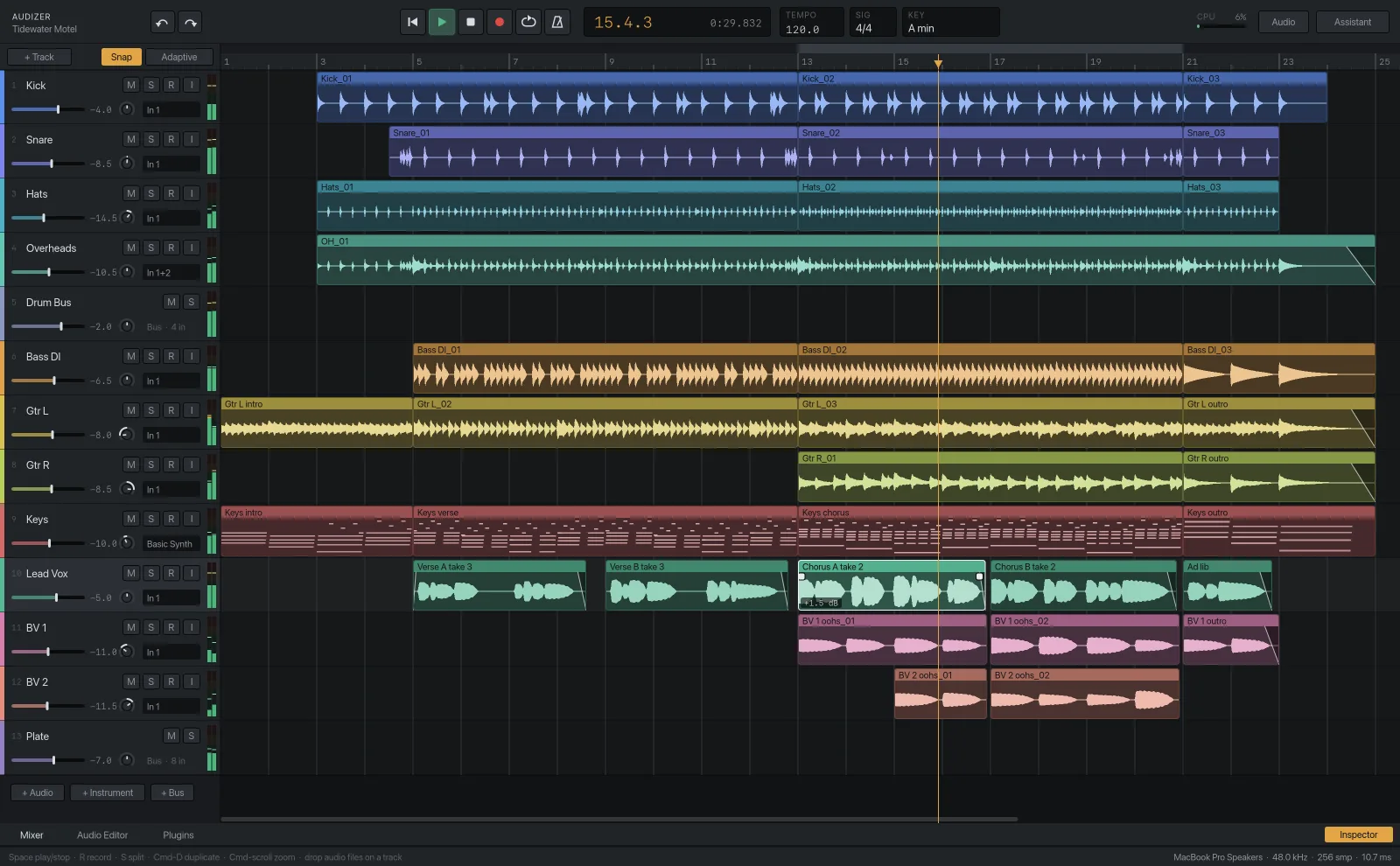
Two ways to make a track on a computer: FL Studio’s patterns and playlist, or Audizer’s timeline with an engineer you can ask.
Pick FL Studio if you make beats and electronic music, want a mature program with a big instrument and effect set, CLAP and VST2 support, phone and browser versions, and a licence that includes every future update.
Pick Audizer if you record vocals or instruments, want mixing and mastering help inside the session, and don’t want to pay for a DAW at all. Audio recording in FL Studio starts at the $179 Producer Edition; in Audizer it’s free.
At a glance
| Audizer | FL Studio | |
|---|---|---|
| Price | Free forever. No subscription, no paid tiers, no trial clock. The optional assistant runs on pay-as-you-go Audizer credits ($5, $10 or $25, no expiry) or your own key. | Perpetual licences, list prices: Fruity $99, Producer $179, Signature $269, All Plugins $449 (sale prices were running when we checked). Lifetime free updates to your edition. Rent-to-own available. |
| Platforms | Mac with Apple Silicon (M1 or later, macOS 12+). Windows 10 and 11, 64-bit, as a beta. No Intel Macs, Linux, iPad or phone. | Windows 10 and 11 (Intel and AMD, no ARM) and macOS 10.15.7 or newer, Intel and Apple Silicon. Separate FL Studio Mobile and FL Studio Web. |
| What’s included | Tide wavetable synth (276 presets), Breaker drum sampler (17 kits), a basic synth, a step grid, 35 built-in effects, Vocal Tune, a note editor for pitch, comping, automation, a tempo map with time-stretch, reference A/B. | 23 to 39 instruments and 53 to 71 effects depending on edition. Audio recording starts at Producer Edition; Fruity can’t record audio. |
| AI mixing and mastering | An optional assistant that mixes and masters on your timeline. Every move is an ordinary, undoable edit. | Gopher, an assistant that answers questions, guides you and controls features (all editions). Stem separation (Producer and up). AI mastering through the FL Cloud Plus and Pro subscriptions. |
| Plugin support | VST3 and Audio Units on Mac, VST3 on Windows. Each plugin runs in its own process. | VST2, VST3, Audio Units and CLAP, in every edition. |
| Learning curve (our view) | A conventional timeline DAW. You can ask the assistant to do a job while you learn how it was done. | The pattern-and-playlist workflow is quick for beats once it clicks. Recording and editing live instruments takes more learning than it does in a linear DAW. |
Where FL Studio is the better pick
- Years of refinement for beatmaking. The pattern, step sequencer and playlist workflow, plus 23 to 39 instruments and 53 to 71 effects depending on the edition.
- Lifetime free updates. Buy an edition once and every future version of it is included, and the licence moves between Windows and Mac.
- More places to run it. Windows, Intel and Apple Silicon Macs, FL Studio Mobile on phones and tablets, and FL Studio Web in a browser. Audizer needs an Apple Silicon Mac or a Windows PC.
- Wider plugin support. VST2, VST3, Audio Units and CLAP. Audizer hosts VST3 and Audio Units.
- Stem separation from Producer Edition up, and a trial that never expires.
Where Audizer is the better pick
- Free, with nothing held back. Recording, comping, Vocal Tune, automation, a tempo map, 35 effects, Tide and Breaker are in the one free download. There are no editions.
- An assistant that mixes. FL Studio’s Gopher answers questions and controls features; AI mastering comes with an FL Cloud subscription. Audizer’s assistant mixes the session itself, track by track, then masters it to the loudness you name, and every move is an edit you can open.
- Built around recorded audio. A note editor for sung pitch, phrase levelling, strip silence and audio quantize, with comping across take lanes.
- A crashing plugin doesn’t take the session down. Each hosted plugin runs in its own process.
Moving between them is easy in one direction: export stems from FL Studio, drop them on Audizer tracks and ask for a mix.
What Audizer doesn’t do yet
Audizer is an early release, and the Windows version is a beta. Before you move a project over, know that it doesn’t have:
- Intel Macs. The Mac version needs Apple Silicon (M1 or later). Windows 10 and 11 are supported as a beta.
- Polyphonic pitch editing. Vocal Tune and the pitch editor work on one voice or one instrument line at a time.
- Some plugins' own preset libraries. Audizer finds the presets most plugins publish and the standard preset files, but sampler libraries and plugins with their own private preset format are picked in the plugin's window; Save sound then keeps them for you and the assistant.
- MP3 export without LAME. MP3 export uses the LAME encoder if it's installed; otherwise export WAV or FLAC.
- Voice requests on Windows. Talking to the assistant is Mac-only for now; typing works on both.
- Video. No video track.
- Other plugin formats. It hosts VST3 and Audio Units only.
- Surround and immersive mixing. Exports are stereo.
- A mobile or browser version. It runs on Apple Silicon Macs and Windows PCs.
Session files from this version may need converting in later ones, so keep backups of recordings that matter.
Questions
- Is there a free alternative to FL Studio?
- Audizer is free forever on Apple Silicon Macs and Windows, including audio recording, Tide (a wavetable synth) and Breaker (a drum sampler). FL Studio’s own trial never expires but can’t reopen saved projects until you buy.
- Can Audizer open FL Studio projects?
- No. Export stems or audio from FL Studio and import the files into Audizer.
- Does Audizer have a step sequencer?
- Yes, a step grid for programming beats, alongside a piano roll. It’s simpler than FL Studio’s channel rack.
- Do my FL Studio plugins work in Audizer?
- Third-party VST3 plugins work on both platforms and Audio Units on Mac. Image-Line’s own plugins that ship only inside FL Studio don’t.
Sources for the FL Studio facts on this page
- FL Studio: editions, list and sale prices, lifetime free updates, formats, content counts, Gopher, stem separation, audio recording by edition. www.image-line.com/fl-studio/pricing, checked 2026-11-22
- FL Studio: trial terms, platforms, download size. www.image-line.com/fl-studio-download, checked 2026-11-22
- FL Studio: FL Cloud plans and AI mastering. www.image-line.com/fl-cloud, checked 2026-11-22
- FL Studio: FL Studio Mobile platforms. www.image-line.com/fl-studio-mobile, checked 2026-11-22
Prices are in US dollars as listed by each maker, before tax, and change often. Check the maker’s own page before you buy. Spotted something out of date? support@intuzu.com
Try Audizer on your own session.Free forever, for Apple Silicon Macs and Windows. Version 0.5.0 is an early release; the download page lists what it doesn’t do yet.