
The chopping, without the chopping.
Timeline editing the way you know it, with the slow parts handed off: cutting dead air out of takes and tightening a loose performance.
Clips
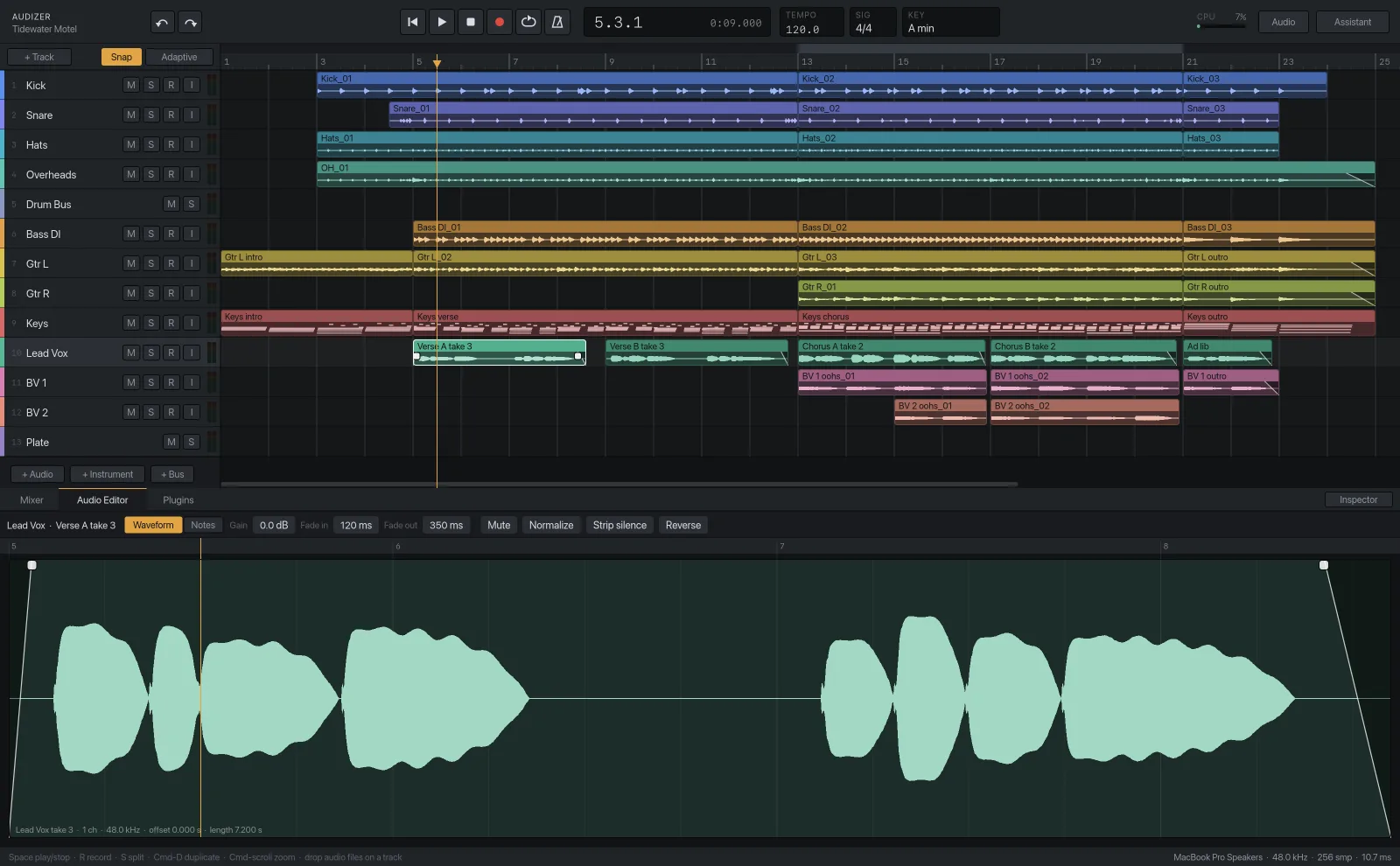
Select a clip and split it at the playhead with S, duplicate it with Cmd D, drag it along the timeline or onto another track, and delete it with Delete. The Audio Editor tab shows the clip's waveform with fade handles at each end and a clip gain control, plus buttons for Normalize, Reverse and Mute.
Strip silence
One press cuts the gaps between phrases and leaves each phrase as its own clip with short fades, so headphone bleed, breaths between lines and amp hum between riffs are gone before you start mixing. Threshold, minimum gap and padding are adjustable, and the padding is generous by default so word endings survive.
Audio quantize
Audizer finds the hits in a recorded part, slices the clip at each one and moves the slices toward the grid. Strength sets how far: all the way for a locked, programmed feel, or 70 to 85 percent to tighten a played part and keep the push and pull. It works best on drums, bass and rhythm guitar.
Noise reduction
For steady noise such as hiss, fan noise and room tone. It learns the noise from the quiet parts of the clip and takes it down without touching the performance.
Undo
Every operation in Audizer is one undo step, whether you did it with the mouse or the assistant did it for you. A whole drag is one step. So is everything the assistant did in its last turn, if you'd rather take it back at once.
Say it instead
tighten this up→Finds the hits in the selected take and pulls them toward the grid, most of the way.
clean this up→Strips the silence, fades the edges, and reduces noise if the floor measures high.
chop the gaps out of the vocal→Strip silence with padding that keeps breaths and word endings.
lock the bass to the kick→Quantizes the bass to the same grid the drums were played in.
Not here yet
Audio quantize moves slices. It doesn't stretch them, so there's no time-stretching of whole clips and no tempo changes inside a session.
Try it on your own session.Audizer is a free download for Apple Silicon Macs.
Download for Mac Free · Apple Silicon