
Plug in and get the take down.
Audizer records through whatever interface your Mac can see, keeps your takes in time with what you heard, and gives every instrument track a sound the moment you add it.
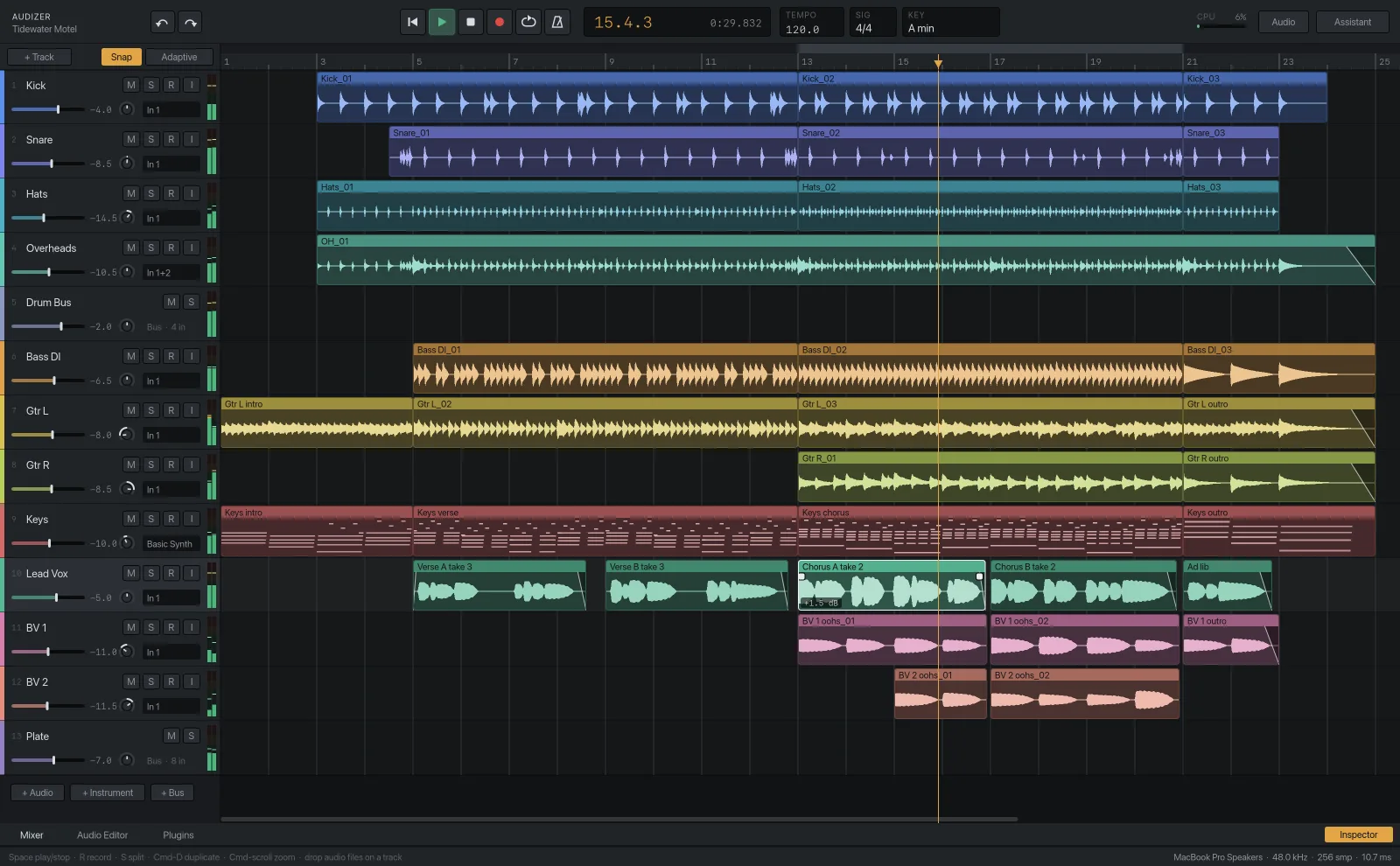
Your interface, your settings
Click Audio in the top bar and choose the device, the sample rate and the buffer size. The status bar along the bottom of the window always shows what's in use, with the round-trip latency worked out in milliseconds, so you know before you record whether the buffer is small enough to play through.
Takes that land where you played them
Arm a track with its R button, press R to record and Space to stop. Audizer shifts each take back by the interface's latency, so an overdub sits against the tracks you were listening to and not a few milliseconds behind them.
Three kinds of track
- Audio tracks record from an input and play clips. Drop audio files on one to import them.
- Instrument tracks take MIDI and play the built-in synth or any VST3 or Audio Unit instrument.
- Bus tracks take sends and group signals: a drum bus, a shared reverb, a parallel compressor.
MIDI and the piano roll
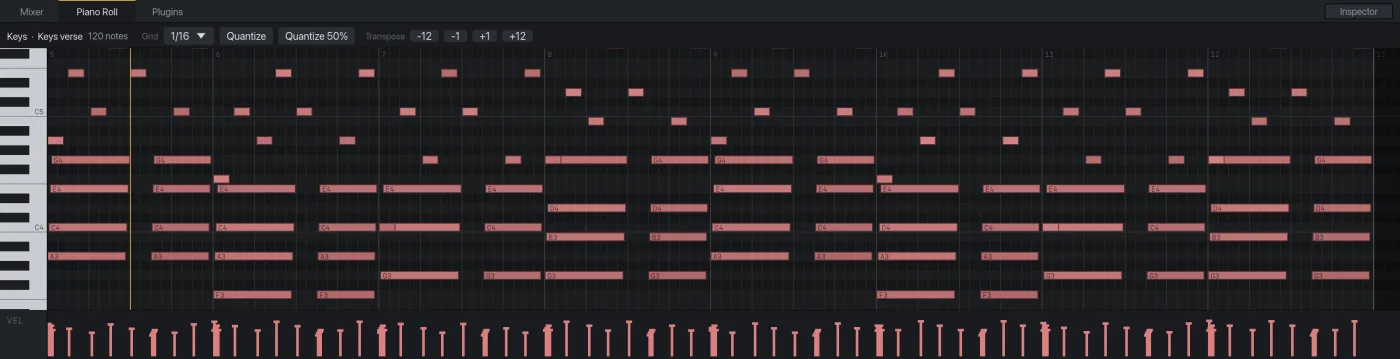
Play parts in from a MIDI keyboard or draw them. The piano roll has a selectable grid, quantize at full or half strength, transpose buttons by semitone and octave, and a velocity lane underneath. Drag in empty space to draw a note, drag a note to move it, and drag its right edge to change its length.
Tempo, time signature and key
All three live in the top bar. Set the key early. Pitch correction uses it to decide where a note belongs.
Not here yet
One tempo per session, no comping lanes and no video track. Takes are recorded as ordinary clips.
Try it on your own session.Audizer is a free download for Apple Silicon Macs.
Download for Mac Free · Apple Silicon