
Audizer vs GarageBand
Two free studios for a Mac. GarageBand is the gentlest start; Audizer gives you a full mixing desk and an engineer.
Pick GarageBand if you’re just starting, want Drummer to play along, work across a Mac, an iPhone and an iPad, or plan to move up to Logic Pro.
Pick Audizer if you want proper mixing and mastering, a sidechain, automation on any control, VST3 plugins, a Windows version, or an assistant that does the engineering when you ask.
At a glance
| Audizer | GarageBand | |
|---|---|---|
| Price | Free forever. No subscription, no paid tiers, no trial clock. The optional assistant runs on pay-as-you-go Audizer credits ($5, $10 or $25, no expiry) or your own key. | Free on the Mac App Store. |
| Platforms | Mac with Apple Silicon (M1 or later, macOS 12+). Windows 10 and 11, 64-bit, as a beta. No Intel Macs, Linux, iPad or phone. | Mac (macOS Monterey or later), iPhone and iPad (iOS 16). No Windows. |
| What’s included | Tide wavetable synth (276 presets), Breaker drum sampler (17 kits), a basic synth, a step grid, 35 built-in effects, Vocal Tune, a note editor for pitch, comping, automation, a tempo map with time-stretch, reference A/B. | Drummer, with 28 drummers and three percussionists, synth sounds, and a library of free loops and instruments. Up to 255 audio tracks on Mac, 32 on iOS. |
| AI mixing and mastering | An optional assistant that mixes and masters on your timeline. Every move is an ordinary, undoable edit. | No mixing or mastering assistant listed. Drummer plays along with your song and takes direction. |
| Plugin support | VST3 and Audio Units on Mac, VST3 on Windows. Each plugin runs in its own process. | Audio Unit Extensions for third-party instruments and effects on iPhone and iPad. Apple’s Mac page mentions audio effect plug-ins without naming a format. |
| Learning curve (our view) | A conventional timeline DAW. You can ask the assistant to do a job while you learn how it was done. | Low. It’s the gentlest start on a Mac, and projects open in Logic Pro when you outgrow it. |
Where GarageBand is the better pick
- A gentle start. GarageBand is simple, and its projects open in Logic Pro when you want more.
- Drummer. 28 virtual drummers and three percussionists who play along with your song.
- iPhone and iPad. A version for iOS, with iCloud to add tracks from your phone. Audizer is desktop only.
Where Audizer is the better pick
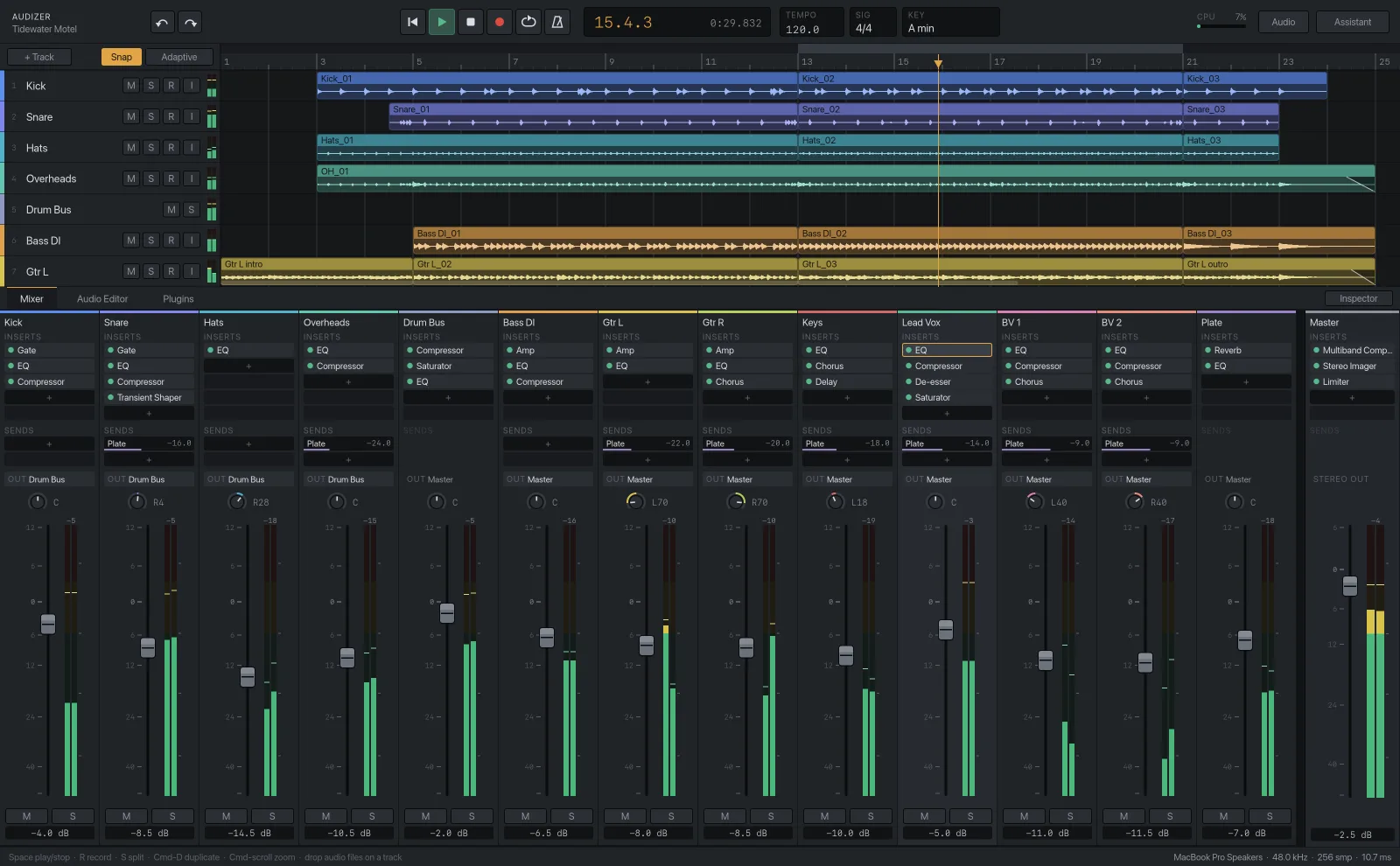
- A real mixer. Inserts, sends, buses, sidechain, automation for any control, plugin delay compensation, and 35 effects including a 24-band dynamic EQ and a true-peak limiter.
- Mastering to a number. Name a target such as −14 LUFS under −1 dBTP and get it, or export several masters at once.
- An assistant. Apple doesn’t list a mixing or mastering assistant for GarageBand. Audizer’s mixes and masters on request.
- VST3 and Windows. Use VST3 plugins on Mac or Windows, and the same DAW on both.
- Vocal tuning per note. A note editor for pitch, timing and formant, plus Vocal Tune in real time.
What Audizer doesn’t do yet
Audizer is an early release, and the Windows version is a beta. Before you move a project over, know that it doesn’t have:
- Intel Macs. The Mac version needs Apple Silicon (M1 or later). Windows 10 and 11 are supported as a beta.
- Polyphonic pitch editing. Vocal Tune and the pitch editor work on one voice or one instrument line at a time.
- Some plugins' own preset libraries. Audizer finds the presets most plugins publish and the standard preset files, but sampler libraries and plugins with their own private preset format are picked in the plugin's window; Save sound then keeps them for you and the assistant.
- MP3 export without LAME. MP3 export uses the LAME encoder if it's installed; otherwise export WAV or FLAC.
- Voice requests on Windows. Talking to the assistant is Mac-only for now; typing works on both.
- Video. No video track.
- Other plugin formats. It hosts VST3 and Audio Units only.
- Surround and immersive mixing. Exports are stereo.
- A mobile or browser version. It runs on Apple Silicon Macs and Windows PCs.
Session files from this version may need converting in later ones, so keep backups of recordings that matter.
Questions
- What’s a free GarageBand alternative for Windows?
- Audizer runs on Windows 10 and 11 (as a beta) and on Apple Silicon Macs, and it’s free.
- Can Audizer open GarageBand projects?
- No. Export the tracks from GarageBand as audio files and drop them onto Audizer tracks.
- Is Audizer harder than GarageBand?
- It has more on screen, because it’s a full mixing DAW. You can ask the assistant to do a job and see how it did it.
Sources for the GarageBand facts on this page
- GarageBand: price (Free). apps.apple.com/us/app/garageband/id682658836?mt=12, checked 2026-11-22
- GarageBand: Drummer, track counts, requirements. www.apple.com/mac/garageband, checked 2026-11-22
- GarageBand: Audio Unit Extensions, iOS tracks, Logic compatibility. www.apple.com/garageband/mac, checked 2026-11-22
Prices are in US dollars as listed by each maker, before tax, and change often. Check the maker’s own page before you buy. Spotted something out of date? support@intuzu.com
Try Audizer on your own session.Free forever, for Apple Silicon Macs and Windows. Version 0.5.0 is an early release; the download page lists what it doesn’t do yet.